4 AI Meeting Notetaker Head-to-Head Comparison
Which meeting notes app should you use? Read this to find out

Mark Treepetchkla
Chief Operating Officer (COO)
Featured
Another AI tool is quietly rising in 2025.
Not ChatGPT.
Not Claude.
Not Gemini flooding your feed.
It’s something far simpler.
No fancy prompts.
No image generation.
No cinematic AI videos.
Just a tool that solves a real problem directly.
And for many people, it’s becoming one of the most important assistants in their daily work.
AI meeting notetaker.
Why is this suddenly exciting? Let’s start with the obvious fact.
No one wants to take meeting notes. But everyone has to.
You need it for clients — to document what both sides agreed on, to avoid misunderstandings later.
You need it for teammates — so people who weren’t in the room can stay aligned.
And if you’ve ever had to take notes across multiple meetings (or even just one long one), you know how painful it is. Good notes require concentration, context, and writing skill. Consultants, project managers, and sales teams feel this pain every single day. But like it or not, it's necessary for keeping everyone on the same page.
Thankfully, AI has stepped in.
We can now let AI handle the note-taking for us.
Big round of applause here.
But with so many AI notetakers in the market, the question becomes: which one actually works?
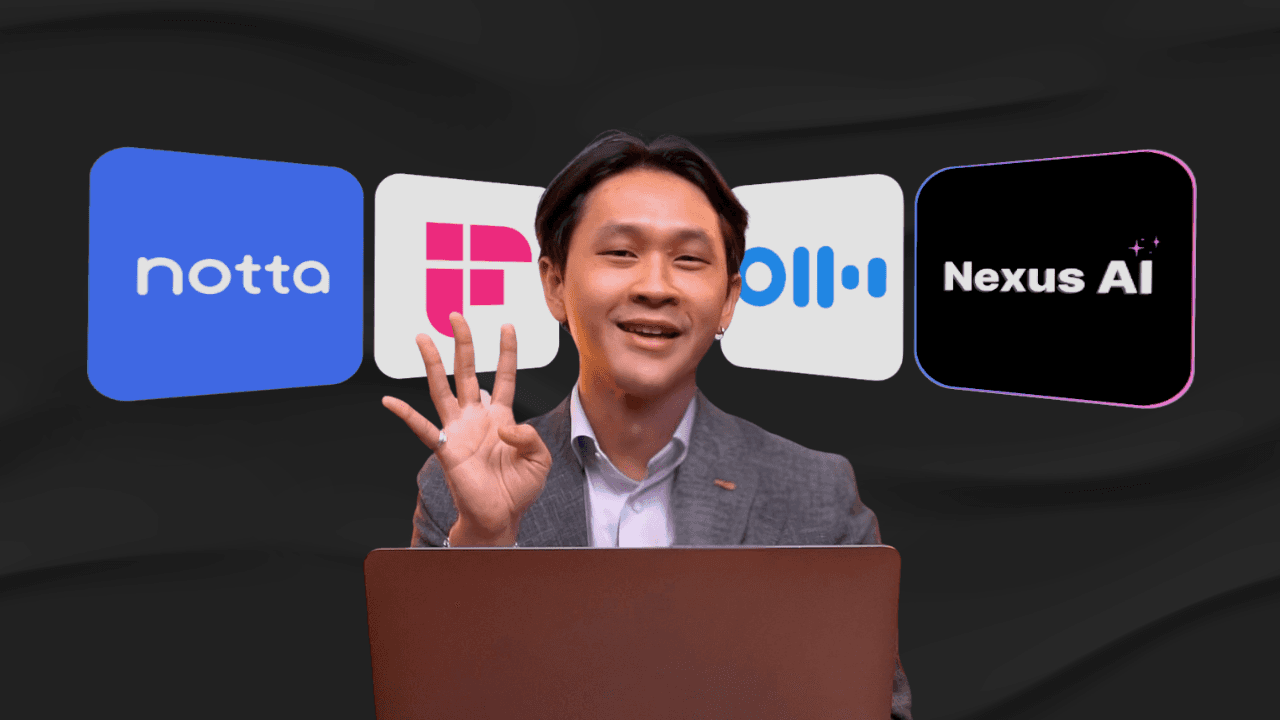
Today, we’re reviewing four of the most popular tools — Notta AI, Fireflies, Otter AI, and Nexus AI — and comparing how well they work specifically for Thai language meetings and Thai business contexts. The goal is simple: which tool helps you extract insights from your meetings with the least effort?
For the test, we used a Thai conversation mixed with English phrases — the way Thai people naturally speak in meetings — to see which system truly understands us.
Before we jump into the results, here are the evaluation criteria we used. Note-taking isn’t just about transcription accuracy. It’s about how well the tool fits real workflow.
Our four criteria were:
Can the tool handle both online and offline meetings?
Most organizations use Zoom/Meet, but also in-person meetings in actual conference rooms.How well does it understand Thai?
Can it handle accents, mixed Thai-English, or technical vocabulary?Are the automatic summaries actually useful?
Do they read clearly, capture the context, and pull out actionable insights?
Can you chat with the AI afterward to dig deeper?Is the output easy to share?
Can someone who didn’t join the meeting read the summary and fully understand what happened?
With that framework, here’s how each tool performed.
Notta AI
Notta works for both online and offline meetings. In online calls, a small Notta bot joins the meeting and records the entire conversation. Their Thai transcription is strong — accurate, clear, and able to differentiate speakers well.
On the insight side, Notta provides a meeting summary and an AI chatbot you can ask follow-up questions. It's convenient. The downside is the summary tends to be surface-level. You won’t get deep context unless you chat with the AI afterward. Still, compared to taking notes manually, it’s already a big improvement. Sharing is easy — teammates can access both the transcript and summary in one place.
Fireflies
Fireflies is well-known and widely used. It works for online meetings but not offline ones unless you upload a recording manually.
Thai transcription is just okay. At first glance, it seems correct, but once you start reading, it becomes difficult to follow. Not ideal if you rely on transcripts. The summaries are better — short bullet points that help you get the gist quickly — and they also offer AI chat for deeper insights. Shared links work similarly to Notta, and people who receive the link can chat with the AI too.
Otter AI
Otter supports both online and offline meetings and is very popular globally. The problem is simple: it still doesn’t understand Thai. Transcription and summarization only work well in English. So for Thai conversations, it’s not practical. If your meetings are in English, Otter is still a great option with good summaries and AI chat. But for Thai language, it doesn’t make the cut.
Nexus AI
And finally, the newcomer — Nexus AI.
This is where it gets interesting. Nexus works for both online and offline meetings, but unlike others, it doesn’t send a bot into your Zoom call. Some people prefer this because it feels cleaner and less intrusive. Others worry they’ll forget to hit record. That’s personal preference.
Where Nexus really shines is Thai understanding. It handles Thai speech extremely well, and it’s especially strong when people mix Thai and English mid-sentence — something most Thai teams do. Because the transcription is clean, the summaries come out detailed, clear, and surprisingly accurate. You can also chat with AI afterward to pull out insights or ask follow-up questions. And when you share the link, teammates get both the summary and the AI chat interface.
Final verdict
Every app has strengths and weaknesses. But based on our criteria — Thai accuracy, ability to handle real-world meetings, quality of insights, and ease of sharing — two tools stand out:
Nexus AI and Notta AI.
Both handle Thai well, both provide summaries + AI chat, and both make sharing easy. If you want to test the difference yourself, all these apps offer free trials. Try them and see which one fits your workflow best.
AI note-taking won’t replace meetings, but it will definitely replace the pain of taking notes. That alone makes it worth trying.